
The best way to place local variables in a method
In this article, I present an intuitive way to decide where to declare each local variable in a method, one that's also easy to teach to people learning clean code.
One of the simplest and most important topics in clean code is variable declaration. While variable names matter enormously in writing clean code, where they sit inside a method often gets little attention, and that can hurt how easy the code is to understand.
But there are a few super intuitive practices we can apply to make our code even easier to read, and they’re quite easy to teach to developers of any experience level.
Proximity
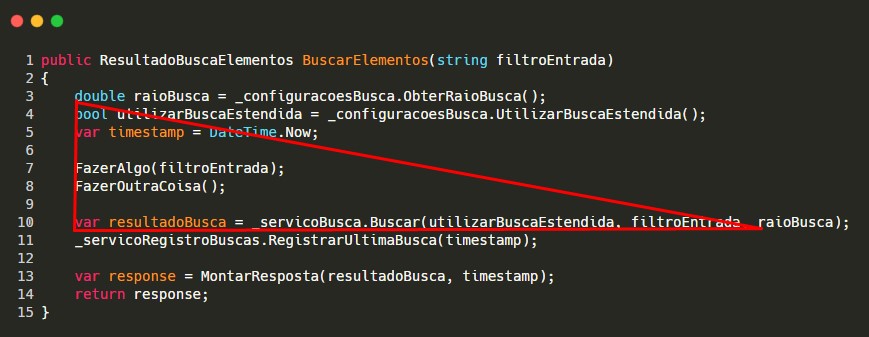
Unfortunately, a common programming habit is to declare variables near the top of a method and only use them further down:

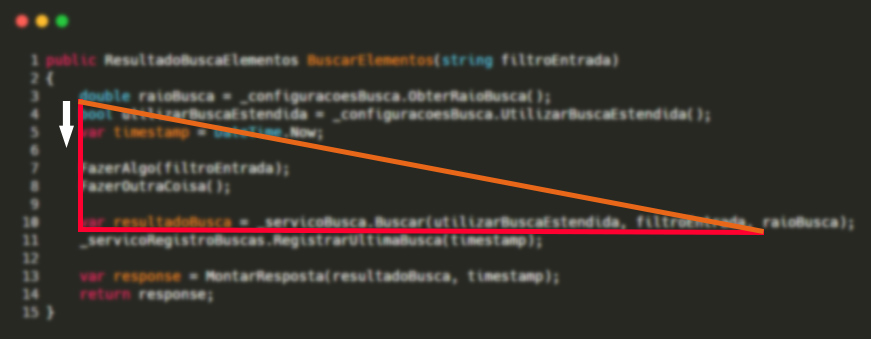
In the example above, this approach ends up creating unnecessary noise. The variables raioBusca (search radius) and utilizarBuscaEstendida (use extended search) are declared at the top and only used further down, after two other operations. Even though their names are quite expressive, they’re very far from where they’re used, which we can represent with a right triangle drawn over the code.
Aviso
The longer the method, the more noise this approach creates.
As you can see in the example above, a good chunk of code falls inside the triangle. We could say this stretch stands in the way of more expressive code. The same problem affects the timestamp variable:
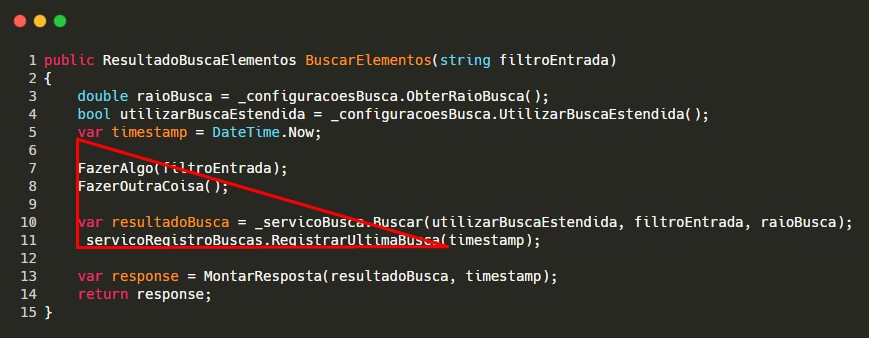
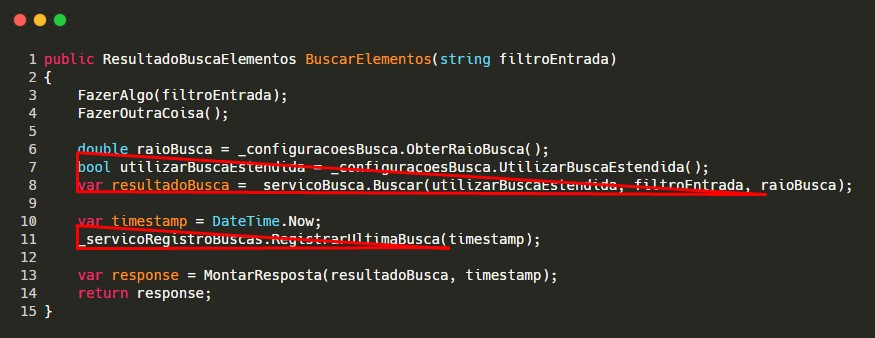
We can fix this easily by moving the variables closer to where they’re used, as the next image shows:

This way, each group of operations is isolated from the others, and each processing step in the method stands out even more.
Order matters
Even in the second scenario, where the variables are declared close to their use, the order in which they’re declared matters when reading the code. In the example we’ve been working with, raioBusca is declared before utilizarBuscaEstendida, but used after it.
Even though they’re close to where they’re used, there’s a break in the sequence that kills some of the code’s flow. Once again, we can visualize this with triangles:
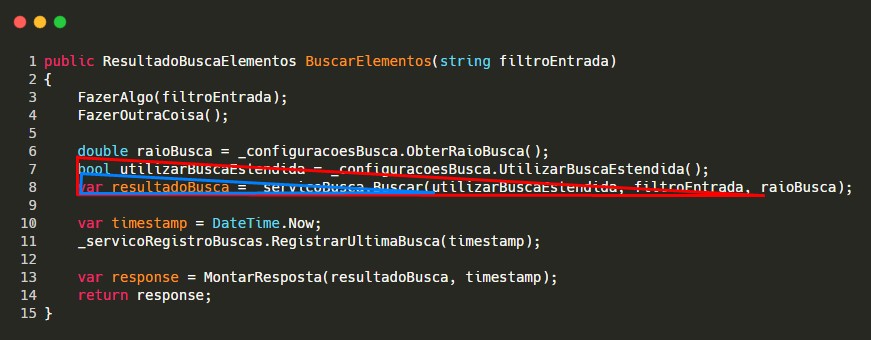
By flipping the declaration order so it matches the order in which the variables are used, we can see that neither triangle fully encloses the other:
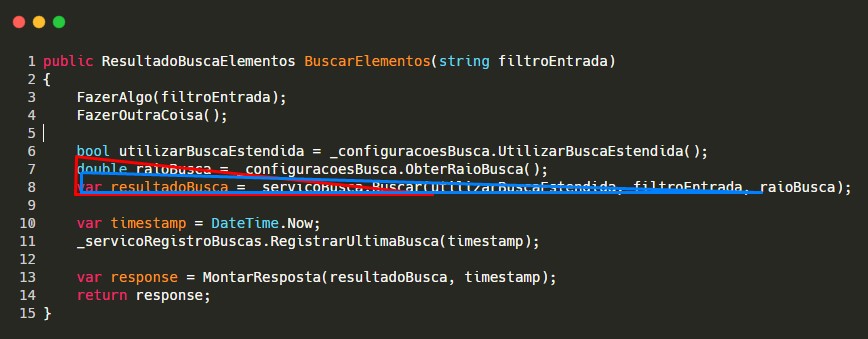
Simply reordering the variable declarations makes the code a little easier to read, making it flow more naturally, with basically zero extra effort.
Distance as a placement indicator
Obviously, nobody needs to go around drawing triangles over their code while programming. I used these drawings to illustrate an intuitive way of deciding where to place each local variable inside a method.
It’s very easy to picture a straight line from a variable’s declaration to where it’s first used. We can then apply a simple heuristic: our goal should be to shrink that distance as much as possible for every variable in the method.
That imaginary straight line also coincides with the hypotenuse of a right triangle. Whenever it’s longer than it needs to be, the area of that triangle will end up enclosing code that isn’t directly related to the variables we’re declaring, and they need to be moved closer to where they’re used.
Conclusions
There are some very subtle aspects that affect code readability, and their impact is far from obvious to many developers, especially those still early in their journey.
In a Zoom room it’s very easy to draw over the screen, and I often use the method described above to explain these concepts during pair-programming sessions. It usually works really well.