
How to build a microservice generator with Replicante
Looking for a simple way to build a microservice generator? In this article I show how to use the Replicante tool to do it.
Every organization has its own strategy for speeding up the creation of new microservices. The spectrum is quite wide, ranging from global standardization to total freedom.
In many places, the paved road strategy isn’t a reality yet, and there are no service generators, nor many ready-made libraries to smooth over everyday situations. But there are ways to speed up the creation of new microservices that don’t take much effort and can be put in place quickly.
One of them is to build your own microservice generator. And the most important part: a service generator doesn’t have to be complicated! In this article, I’ll show how to use an open-source tool to build yours.
Our strategy is simple: our generator will apply a few transformations to a template, and that’s how it will generate the new service.
Building a microservice generator
The first step in building a service generator is having a model service to follow. After all, we need a starting point. Putting that model together will require some decisions.
Those decisions involve architectural concerns, the team’s expertise, the choice of application architecture, the technologies involved, and so on.
As an example, our model service will have the following characteristics:
- Platform: C#/.NET 5
- Application architecture: layered, following Clean Architecture
- Default database: MongoDB
- Default message broker: RabbitMQ
- Unit, integration, and mutation tests
So we create a service called TemplateCleanArchitecture, which implements the ideal version of the set of characteristics listed above. I like to say it’s not just a sample service, but an exemplary service.
And what’s our strategy for a generator? It couldn’t be simpler: copy our exemplary service, applying small transformations. That’s what Replicante was built for.
Replicating a service
I have an article here on the blog dedicated to building Replicante, which you can check out here. In broad terms, Replicante processes a copy of a project by applying two transformation phases:
- Replacing terms in the directory structure (file and folder names)
- Replacing file contents
If we want to reuse a C# service, we need to take some care:
- Rename namespaces inside source and project files
- Adjust terms in configuration files, pipelines, Dockerfiles, etc.
- Rename directories to reflect the new namespace structure
Doing this by hand is very error-prone, and Replicante lets you do all of these steps in a single pass. As an example, take a look at the Azure DevOps pipeline below, which uses the Replicante CLI to generate a new service based on the template and a recipe:
name: '1.0.0'

parameters:
- name: 'ServiceName'
  type: 'string'
  displayName: 'Nome do serviço'

variables:
- name: 'TemplateWorkingDirectory'
value: '$(System.DefaultWorkingDirectory)/Services/CleanArchitectureTemplate'

stages:
- stage: 'GenerateNewCSharpService'
  displayName: 'Generate new CSharp service'
  jobs:
    - job: 'GenerateNewCSharpServiceJob'
      steps:
        - task: NodeTool@0
          displayName: 'Using Node'
          inputs:
            versionSpec: '14.16'

        - script: |
            npm install -g replicante@1.1.1

            sed -i 's/%ReplicantName%/${{ parameters.ServiceName }}/g' replicante-recipe.json

            replicante create $(TemplateWorkingDirectory) replicante-recipe.json --target=$(Build.ArtifactStagingDirectory)
          displayName: 'Replicating template service'

        - task: PublishPipelineArtifact@1
          displayName: 'Publish pipeline artifact'
          inputs:
            artifactName: '${{ parameters.ServiceName }}'
            targetPath: '$(Build.ArtifactStagingDirectory)'
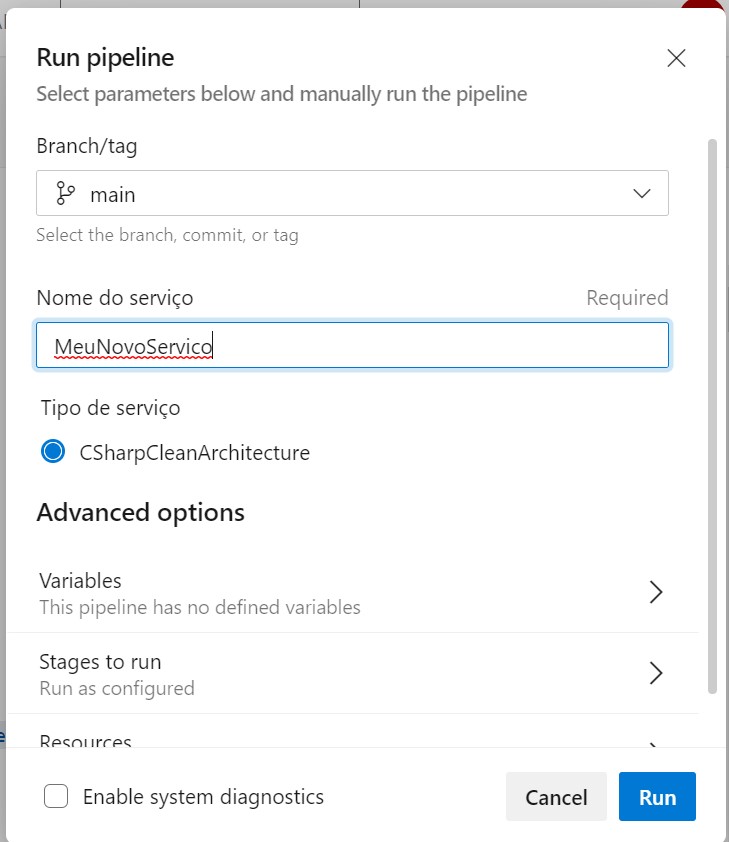
When running this pipeline, we need to provide our service’s name, which sets the value of the ServiceName parameter. In the example in the image, we decided our new service will be MeuNovoServico (Portuguese for “MyNewService”):
As we can see in the script, we use the sed command to replace the term %ReplicantName% with the value of ServiceName inside the replicante-recipe.json file. This file is important, and it centralizes our strategy for turning the exemplary service into the new MeuNovoServico service:
{
"replicantName": "%ReplicantName%",
"templateName": "clean-ms-gen",
"fileNameReplacements": [
  { "from": "TemplateCleanArchitecture", "to": "<<: replicantName :>>" },
  { "from": "templatecleanarchitecture", "to": "<<: replicantName.toLowerCase() :>>" }
],
"sourceCodeReplacements": [
  { "from": "TemplateCleanArchitecture", "to": "<<: replicantName :>>" },
  { "from": "templatecleanarchitecture", "to": "<<: replicantName.toLowerCase() :>>" },
  { "from": "TEMPLATECLEANARCHITECTURE", "to": "<<: replicant.toUpperCase() :>>" }
],
"ignoreArtifacts": [".git", ".idea", ".vs", ".vscode", "docs", "bin", "obj"]
}
As we can see above, the instructions in the fileNameReplacements section correspond to the first phase, where certain terms are replaced with new ones, changing file and folder names.
The same logic applies to the sourceCodeReplacements section, which lists the replacements made to file contents, changing namespaces, configuration files, pipelines, and so on.
Next, the script runs the Replicante CLI with three parameters:
- The transformation recipe file
- The template directory, where the exemplary service lives
- The output directory, where our new service will be generated
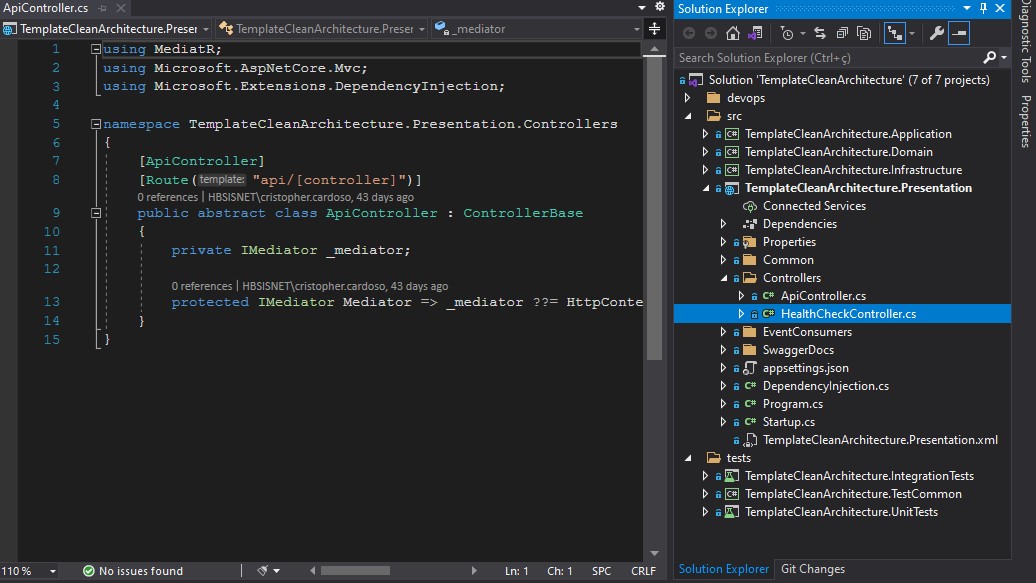
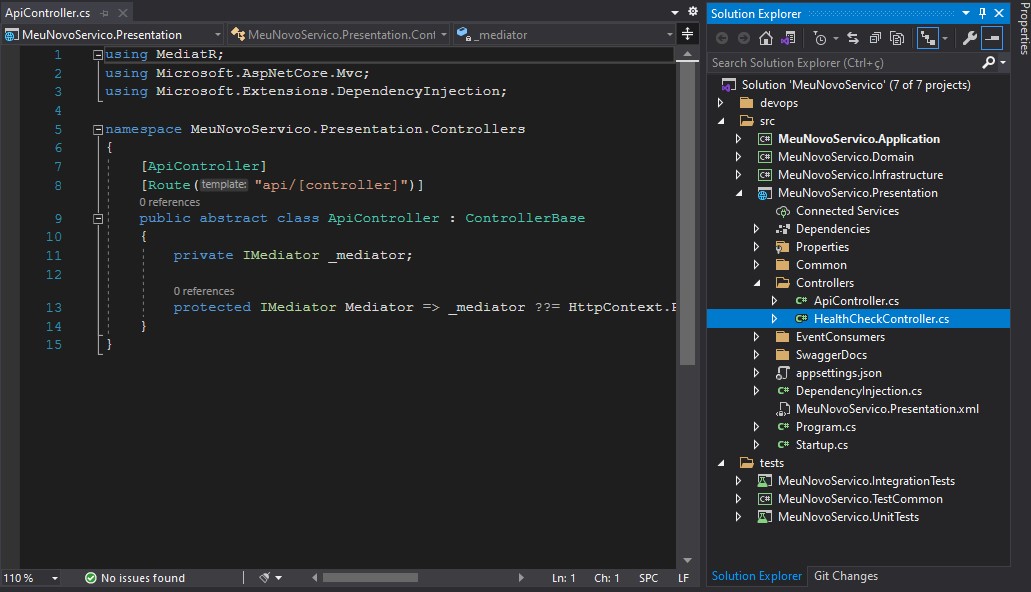
The next pipeline step publishes an artifact with the new service. To get a sense of the transformation that takes place, check out the images below:
And the result of the replication process:
Advantages of copying an Exemplary Service
One important aspect of this approach is that we’re dealing not just with a service template that can be freely copied to generate new services, but with a template that can be treated as a living service.
A living service has certain characteristics:
- It has a continuous integration pipeline that runs normally, like any other service
- It can be deployed to non-production environments
- It can gather best practices and take advantage of the team’s expertise
To get the most out of a “living template”, we need to make sure it provides a smooth, fast start for developing new services. In the following sections, I list a few tips based on what my team learned using this approach at Ambev Tech.
High code coverage
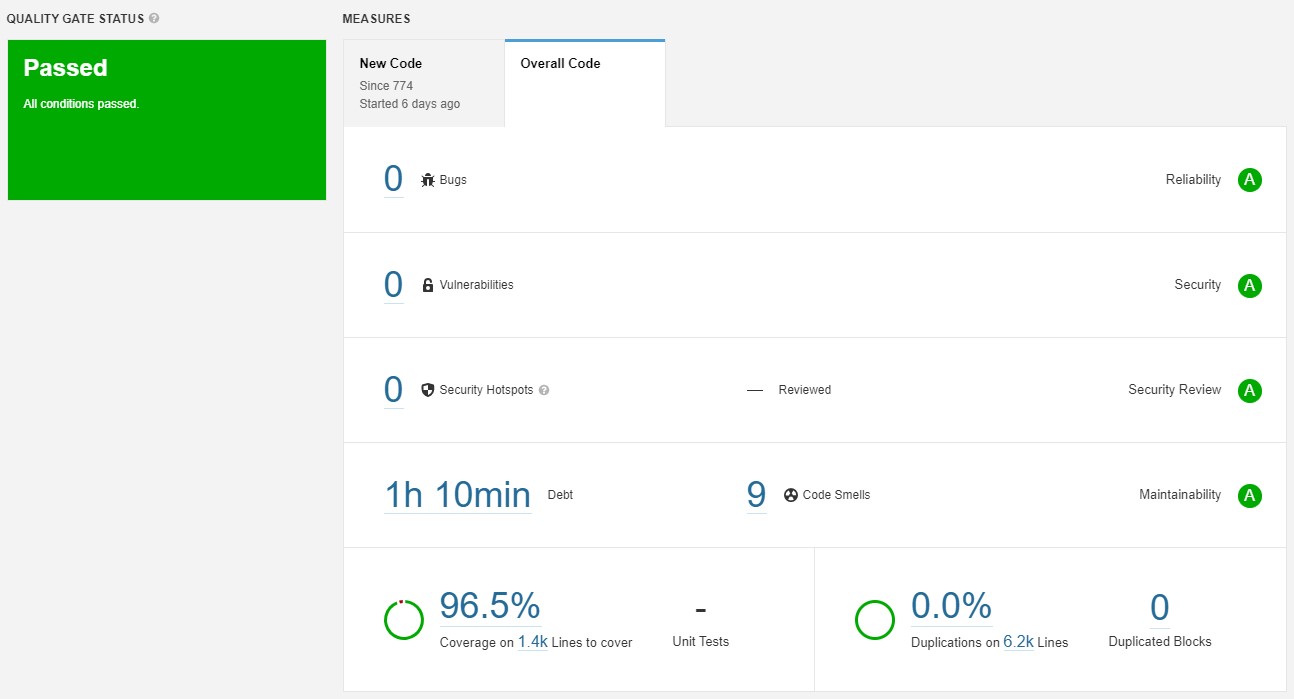
It’s very important that all of the template’s code has a very high coverage rate. In our case, we aim to keep the template’s coverage higher than that of production services. This matters because it’s easier to keep coverage high than to raise it. That way, every new service is born with good code coverage.
If you’re using a tool like SonarQube, I also recommend using it to keep the number of code smells as low as possible and to avoid any security issues.
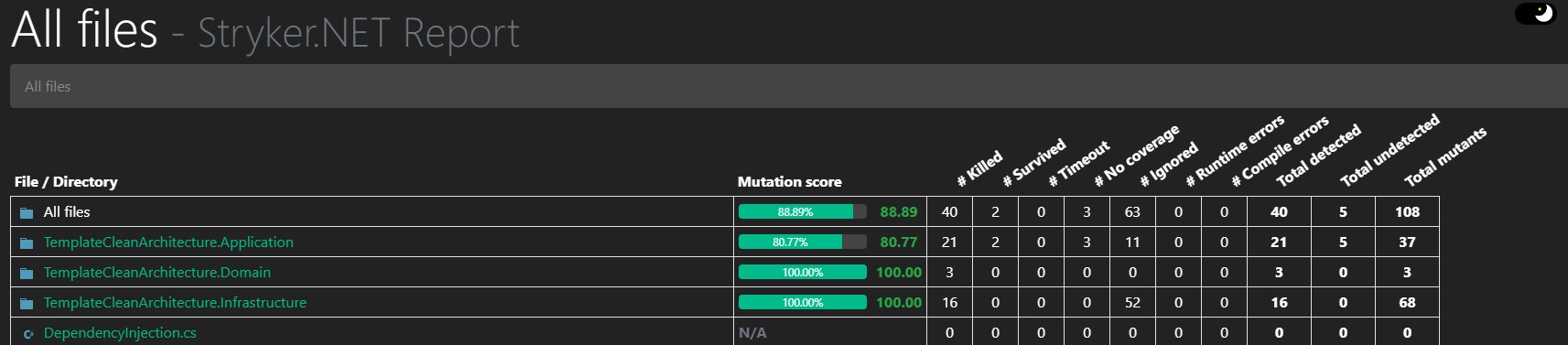
Good mutation score
Most teams don’t use mutation testing in their projects. But since it’s an indicator of test suite quality, it can be more effective at pointing out problems in a software project than test coverage itself.
That’s why, if your team decides to use mutation testing, it’s a good idea for every new project to be born with it. For that, the template service needs to have mutation tests running in its pipeline.
If you want to learn more about mutation testing, check out my article on mutation testing with Stryker.Net.
Dependency analysis
If your team or company uses a dependency analysis tool, such as Dependency Track or Snyk, it needs to be running in the template’s continuous integration pipeline.
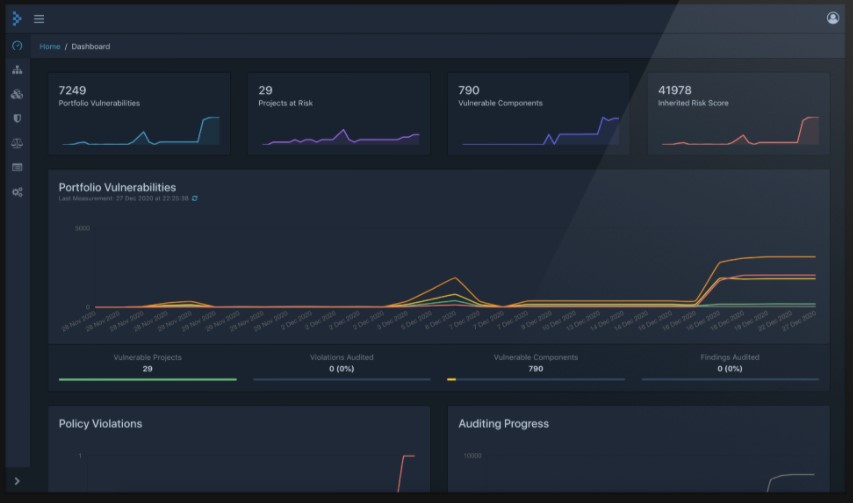
This applies to library dependencies in the backend, in the frontend, and also, if possible, to Docker image dependencies.
This way, we can make sure new services are born with up-to-date dependencies, which are less likely to be exposed to security vulnerabilities.
Documentation
A good documentation structure in the template will help the team keep the documentation of new services up to date.
That’s why it’s a good idea for the template to provide the minimum documentation structure expected of a new service.
Final thoughts
To sum up, only two things are needed to build a simple service generator:
- A base service, which will serve as the template
- A pipeline capable of making a few adjustments to the template to generate the new service. Replicante helps with that.
This approach can really speed up kicking off a new service. Just run the service generation pipeline. We use something similar on my team, and this approach has proven to be just efficient enough.
Finally, it works with any technology and stack, and could easily be used with a Python, Java, or NodeJS project.