
Speeding up Kubernetes development with Tilt
In this article, I give an overview of how Tilt can speed up the development loop of Kubernetes apps using a local K8s cluster.
Is it easy to test an app meant to run on a Kubernetes cluster locally?
Most of the time the answer is no, and the reason is simple: Kubernetes is a platform especially well suited to microservices architecture, and microservices usually live in a complex ecosystem, surrounded by other services, load balancers, ingress, auto-scaling mechanisms and much more.
Testing one service, or a handful of them, locally is easy enough with Docker Compose, but the truth is that this “local environment” looks nothing like a real Kubernetes cluster.
If our Kubernetes manifests have mistakes, chances are we’ll only find out when we try to deploy a version to a test cluster. The same goes for templates written with Helm or Skaffold.
But what if testing Kubernetes apps locally were easy? What if it were a pleasant, super productive experience?
That’s what Tilt sets out to do.
Tilt
Tilt is a productivity tool for developing Kubernetes apps. And its pitch is quite interesting: reinvent the experience of developing with Kubernetes by taking advantage of its capabilities in innovative ways.
Like Garden, Tilt lets you build development workflows on individual Kubernetes environments for each developer. But unlike Garden, which focuses on remote clusters, the team behind Tilt puts the emphasis on making it easy to set up and use a local cluster for development.
Tiltfile
Tilt workflows are defined in files called Tiltfile, written in Starlark, a subset of Python originally created for the Bazel build system and often used as a configuration language.
The Tilt team built a DSL (domain-specific language) designed to make writing these workflows easy.
Next, let’s take a quick look at an example straight from Tilt’s documentation: a simple WebAPI app written in C#, which you can find here.
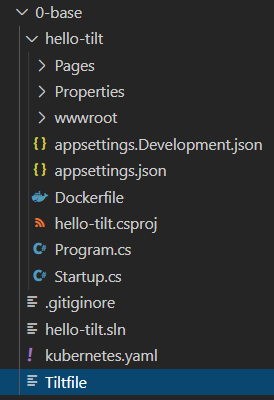
For Tilt to run this simple app on our cluster, we first need to give it a few important details, as shown in the Tiltfile below:
docker_build('hello-tilt', './hello-tilt')
k8s_yaml('kubernetes.yaml')
k8s_resource('hello-tilt', port_forwards='8080:80')
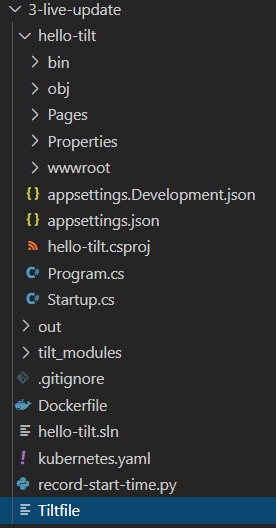
First, we need to declare the Docker build context. As the file tree above shows, the Dockerfile lives in the hello-tilt folder, so that’s the context we declare with the docker_build command.
Next, with the k8s_yaml command we declare the Kubernetes manifest Tilt should apply to the cluster. As you can see below, the kubernetes.yaml file declares a Deployment:
apiVersion: apps/v1
kind: Deployment
metadata:
name: hello-tilt
spec:
selector:
  matchLabels:
    app: hello-tilt
replicas: 1
template:
  metadata:
    labels:
      app: hello-tilt
  spec:
    containers:
    - name: hello-tilt
      image: hello-tilt
      ports:
      - containerPort: 80
Finally, with the k8s_resource command, we tell Tilt that, out of the resources created in the cluster, we care about the one called hello-tilt.
Okay, but what is Tilt going to do with all this information?
Let’s run tilt up and find out.
Tilt’s magic UI
As soon as we run the command, we’re greeted by this menu:
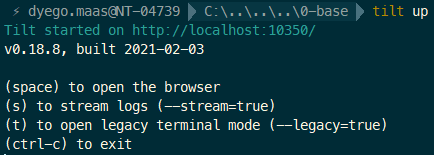
Hit the space key and Tilt opens a pretty neat UI:
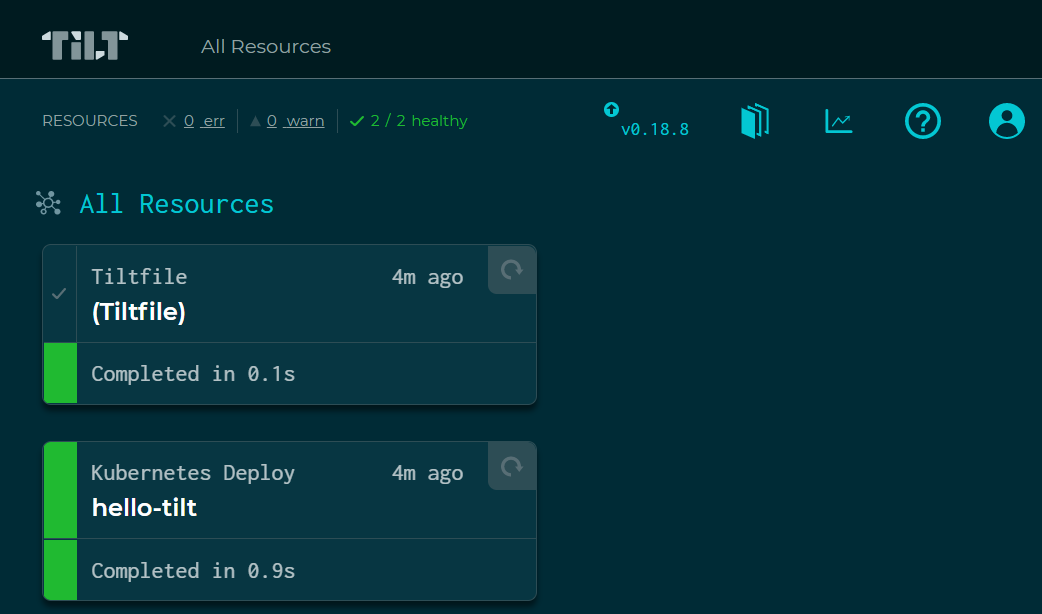
Clicking on a resource shows more details about it:
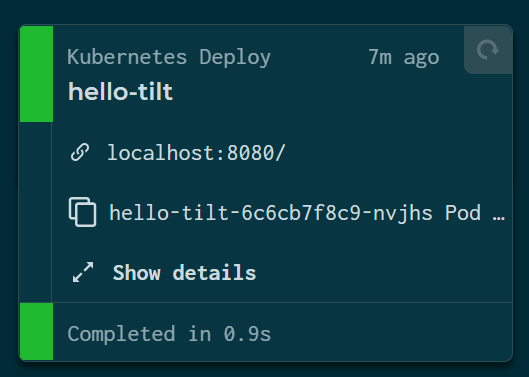
And the logs of everything running in there, are they easy to see? Yes. Tilt not only shows the logs of the containers running in the cluster, it also lays out each step of the Docker image build in an easy-to-follow way, colors the logs by severity level and indents everything so it reads nicely.
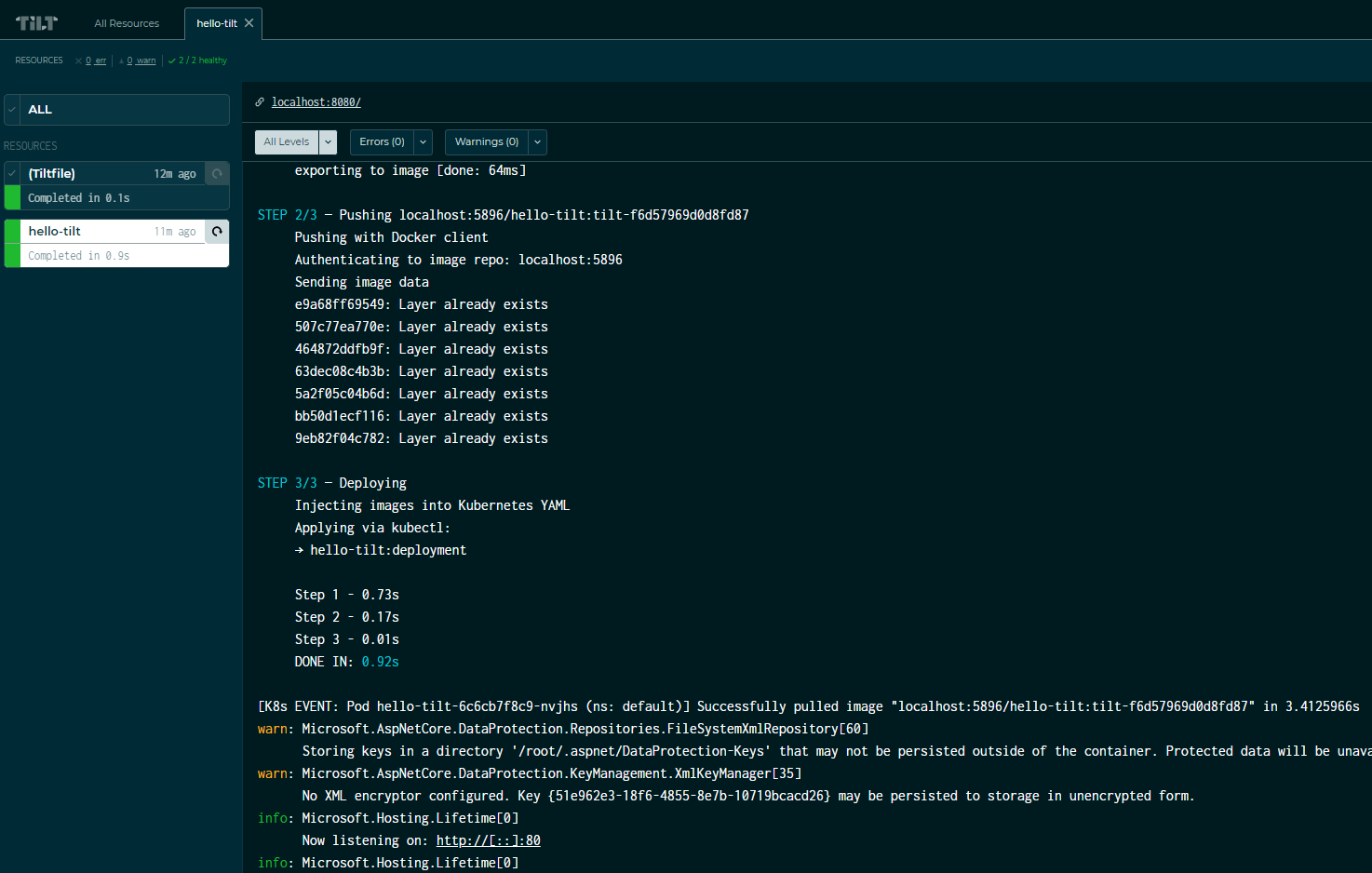
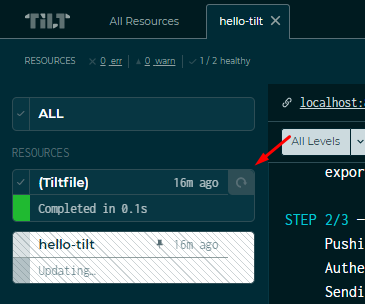
And this is where things start to get interesting. Every resource declared in our Tiltfiles can be triggered manually from the UI:
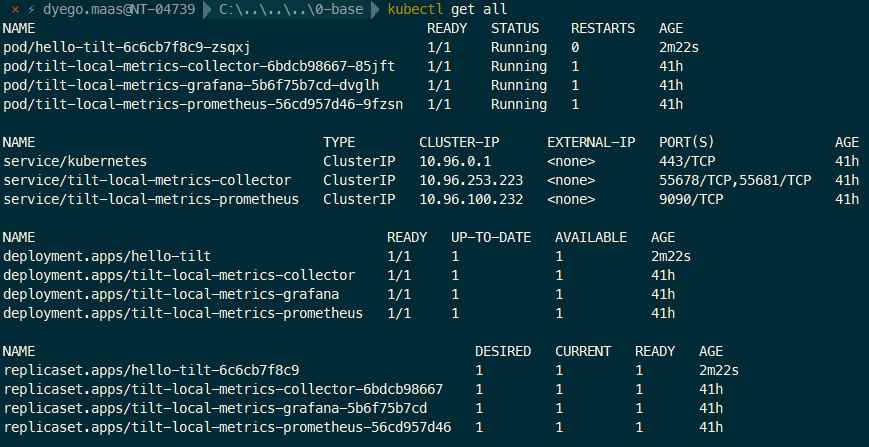
We can check that everything is running correctly on Kubernetes with kubectl get all:
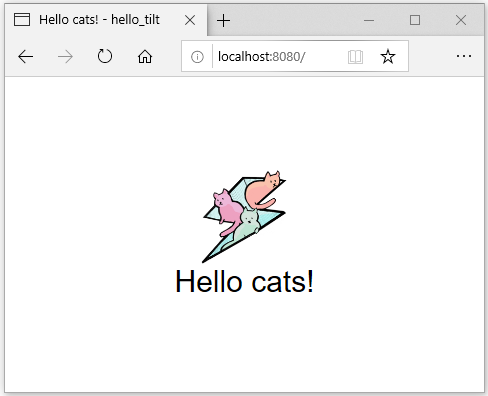
And by opening http://localhost:8080 in the browser, we can confirm the service is running correctly:
In the next section, we’ll explore ways to build advanced workflows. We’ll run scripts locally, and even set up live update for a C# backend!
Live update for a C# backend? (or Go, Java, C++, etc.)
Live updating the backend in compiled languages is usually pretty hard to pull off, which is why it isn’t part of most developers’ day-to-day.
But Tilt gives us the tools to change that, and it all starts with the concept of local resources.
Just as we tell Tilt which resources we care about in the Kubernetes cluster with the k8s_resource command, we can also declare local resources. To show this, I’ll use a more advanced example from Tilt’s documentation.
Local resources
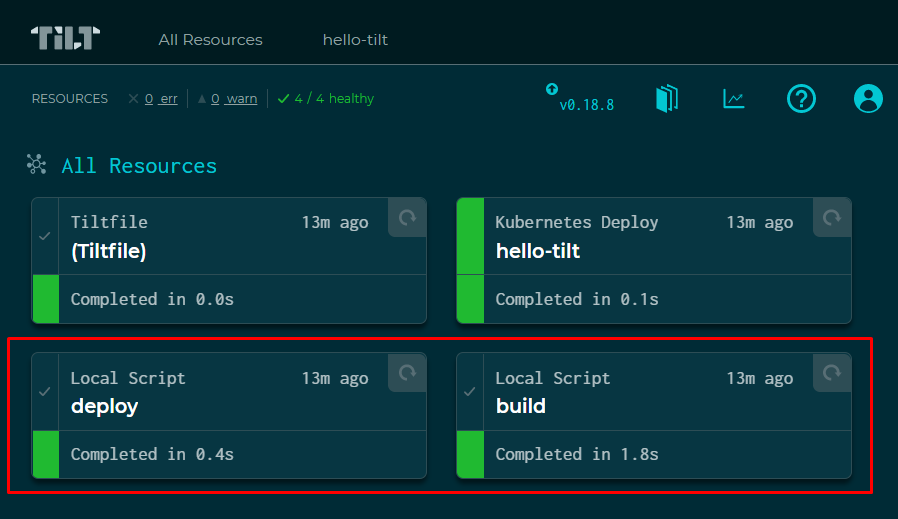
As the image above shows, this advanced example includes two new resources, listed as “Local Script”.
These resources let you run local scripts, both from the browser UI and as part of a build tree.
They’re declared with the local_resource command, as in the example below:
local_resource(
  'deploy',
  'python ./record-start-time.py',
  deps=['./record-start-time.py'],
)
In the example above, we declare a resource called “deploy”, which runs a Python script at the root of the project. The deps parameter tells Tilt to watch the record-start-time.py file for changes and, if it changes, run the script automatically.
The deps parameter is optional; if you leave it out, the resource can still be run manually or as part of the build tree. It just won’t run automatically.
Looking at the Tiltfile of this advanced example, we run into a few new concepts:
# -*- mode: Python -*-

# For more on Extensions, see: https://docs.tilt.dev/extensions.html
load('ext://restart_process', 'docker_build_with_restart')

local_resource(
  'deploy',
  'python ./record-start-time.py',
  deps=['./record-start-time.py'],
)

local_resource(
  'build',
  'dotnet publish -c Release -o out',
  deps=['hello-tilt'],
  ignore=['hello-tilt/obj'],
  resource_deps=['deploy'],
)

docker_build_with_restart(
  'hello-tilt',
  'out',
  entrypoint=['dotnet', 'hello-tilt.dll'],
  dockerfile='Dockerfile',
  live_update=[
      sync('out', '/app/out'),
  ],
)

k8s_yaml('kubernetes.yaml')
k8s_resource('hello-tilt', port_forwards='8080:80', resource_deps=['build'])
The second local_resource, “build”, publishes the web app to an “out” folder by running dotnet publish:
local_resource(
  'build',
  'dotnet publish -c Release -o out',
  deps=['hello-tilt'],
  ignore=['hello-tilt/obj'],
  resource_deps=['deploy'],
)
The deps parameter tells us it will run automatically whenever something changes inside the “hello-tilt” folder. In other words, every time the developer changes something in the app, the “build” resource runs automatically.
Tilt is also told to ignore binary artifacts generated in the “hello-tilt/obj” folder, to avoid unnecessary updates.
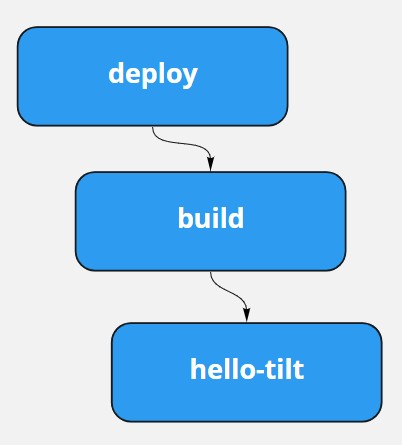
A very important parameter here is resource_deps. It says the “build” resource depends on the “deploy” resource, which implies an execution chain: whenever “deploy” runs, “build” must run right after it.
Every build tool has these execution chains: MSBuild, Maven, Make, Fake and Bazel.
Inspecting the Tiltfile, we can see two resource dependency declarations:
- “build” depends on “deploy”
- “hello-tilt” depends on “build”
This setup implies the following execution chain:
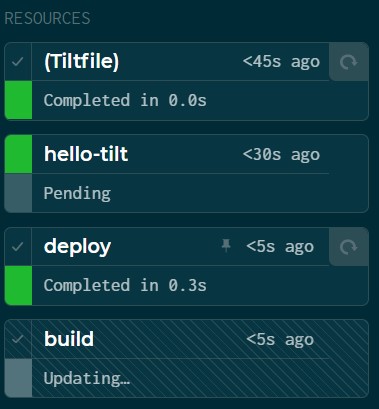
And as the image below shows, clicking deploy runs the whole chain, as expected:
Updating pods fast with live updates
The last piece left to look at is the docker_build_with_restart command:
docker_build_with_restart(
  'hello-tilt',
  'out', # sync context
  entrypoint=['dotnet', 'hello-tilt.dll'],
  dockerfile='Dockerfile',
  live_update=[
      sync('out', '/app/out'),
  ],
)
As you can see at the top of the script, this command is imported from a Tilt extension:
load('ext://restart_process', 'docker_build_with_restart')What it does is update the Docker container faster. To make that happen, Tilt has a pretty clever mechanism: every pod created through Tilt gets a sidecar called Synclet.
The Synclet can update the contents of existing containers without having to start new pods. So the pod gets updated in seconds instead of minutes.
So the docker_build_with_restart command runs when the “out” folder is updated. As we saw above, the “build” resource publishes the web app to the out folder.
As you can see below, this app’s Dockerfile copies the directory to the /app/out folder:
FROM mcr.microsoft.com/dotnet/core/aspnet:3.1-alpine
COPY . /app/out
WORKDIR /app/out
ENTRYPOINT ["dotnet", "hello-tilt.dll"]
The live_update parameter makes the “out” folder generated by “build” sync into the pod, at “app/out”.
And finally, after syncing the files, it overrides the container’s entrypoint, effectively restarting the app almost instantly.
Note that the docker_build_with_restart extension is only needed when the app has to be restarted after the files are updated, which is the case for most compiled programming languages. In a project using interpreted languages, like NodeJS or Python, we can use the plain docker_build command with the live_reload parameter and get the same result.
Compilation errors
If I remove the ”;” from a C# statement like the one below, Tilt’s dashboard catches the problem in under two seconds:
private static DateTime end = DateTime.Now; // <- this ";" here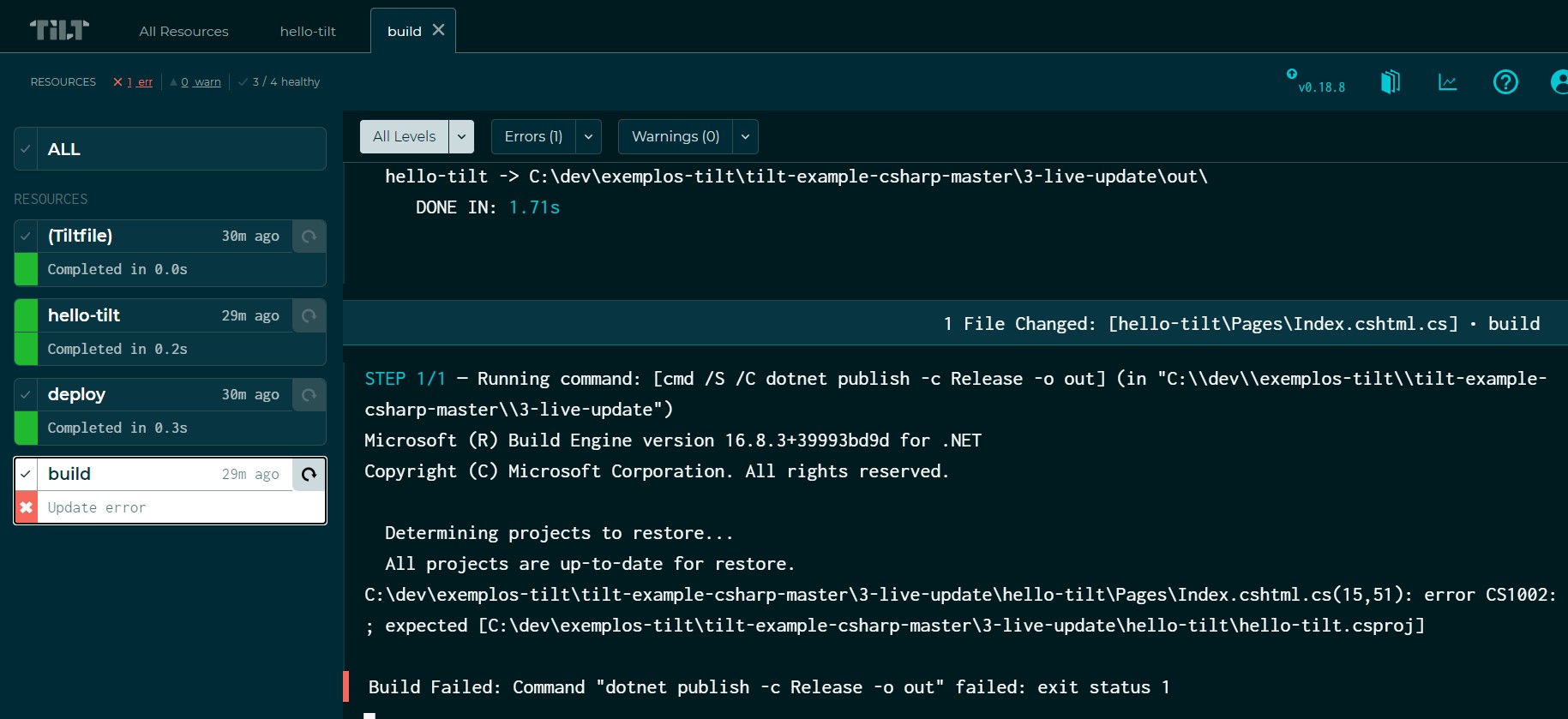
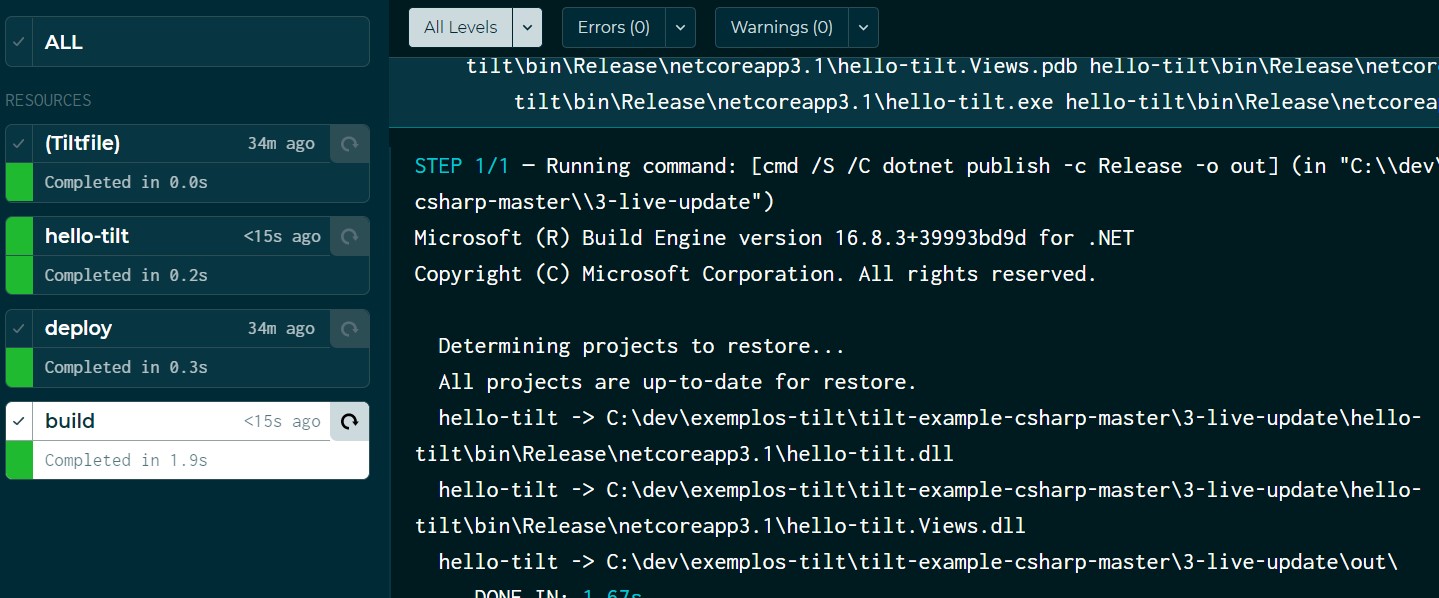
Fix the problem and, in no time, the pod is updated:
Final thoughts
As a tool, Tilt is fantastic. It lets you build dynamic workflows and speeds up the development feedback loop.
Watch out for
First of all, running a Kubernetes cluster locally can eat up a lot of machine resources, and the cluster you choose can make a big difference here.
I’ve tried MiniKube, K3d and Kind. Kind, in particular, is my favorite: easy to use, and light enough to run on my work laptop.
However, for everything to run fast, we need a local Docker registry. And in a real project, images can eat up disk space quickly. I once had the Docker registry hit 50GB and run out of disk space, corrupting the cluster.
But if disk space and memory aren’t a problem, go ahead and try it. It’s worth it.
Setting up a local cluster
If you’d like to see how I set up a local Kind cluster, check out this other article, where I walk through setting up the environment in detail.
Private Docker registries
When writing a Tiltfile for a real app, our services’ Docker images will often depend on a base image stored in a private registry that requires authentication.
In those cases, we could try configuring those credentials in our cluster, but I never got around to exploring that option, since it looks pretty hard.
Instead, we can load the base image in two ways:
- Loading the image into the cluster: with Kind, we can run
kind load docker-image <nome-imagem-base:tag> - Pushing it to the local registry with
docker push localhost:<porta-registry>/nome-imagem-base:tag
Productivity gains
For me, the faster feedback loop a Tilt workflow can give you is reason enough to invest some time in at least trying the tool.
Today, on my team at AmbevTech, we don’t use Tilt day-to-day yet, but I’ve started some tests with our services, and the tool looks promising.